
Style Guide
Container – Theme Content Wrapper with Hero: Background Image Right style selected. Background Image added, Width set to Wide, and Text Color set to Light.
Container – Theme Content Wrapper
Style: Content Card: Light
A custom container with style options designed to work with this theme
Container – Theme Content Wrapper
Style: Content Card: Primary
A custom container with style options designed to work with this theme.
Course Pods + 4 Column Layout
-
 ElectivesGrades: 9, 10, 11, 12
Creative Writing
For many hundreds of years, literature has been one of the most important human art forms. It allows us to give voice to our emotions, create imaginary worlds, express ideas, and escape the confines of material reality. Through creative writing, we can come to understand ourselves and our world a li…
View More -
ElectivesGrades: 9, 10, 11, 12
Digital Photography
Have you ever wondered how photographers take such great pictures? Have you tried to capture those rare, awe-inspiring moments in life and wondered why your photos don’t come out well? In Digital Photography, students get the opportunity to refine their understanding and practice of taking pho…
View More -
 ScienceGrades: 9, 10
Earth-Space Science
Earth-Space Science is a laboratory course that focuses on the study of space, geologic structures and forces, the waters on our planet, and atmospheric forces that shape our world as it is sustained by God. Students explore the universe to discover the magnificent design of our marvelous Creator an…
View More -
ElectivesGrades: 9, 10, 11, 12
Game Design
Are you a gamer? Do you enjoy playing video games or coding? Does the idea of creating and designing your own virtual world excite you? If so, this is the course for you! With Game Design, students tap into their creative and technical skills as they learn about the many aspects involved with game d…
View More
Course Pods + 3 Column Layout
-
 MathematicsGrades: 9
Algebra 1
God took great care when He built orderliness and symmetry into His creation. Algebra 1 establishes the foundation of skills required to understand the composition and patterns of the world God created. Our Father gifted us with the ability to think and reason in abstract mathematical terms and then…
View More -
MathematicsGrades: 10
Algebra 2
Algebra 2 builds on the foundation established through the study of Algebra 1. Every detail leads to the truth that there is order in the universe that can be discovered and expressed through the practice of mathematics. This order points to the design of an orderly God. Students explore the idea th…
View More -
BibleGrades: 10, 11, 12
Apologetics
Apologetics will help students understand why Christians believe what they believe, enabling them to defend the Christian faith biblically. In the first semester, students explore a brief history of apologetics and the practice of apologetics in the early church. Following the theme of historical ap…
View More
Course Pods + 2 Column Layout
-
MathematicsGrades: 9, 10
Credit Recovery Geometry
The Geometry Credit Recovery course is a solution that gives students the opportunity to repeat a course to improve their grade. The course is designed around the main objectives of Geometry and gives students the opportunity to test out of lessons per module by taking pretests and showing mastery o…
View More -
 Social StudiesGrades: 10, 11
Credit Recovery US Government
The US Government Credit Recovery course is a solution that gives students the opportunity to repeat a course to improve their grade. The course is designed around the main objectives of US Government and gives students the opportunity to test out of lessons per module by taking pretests and showing…
View More -
Social StudiesGrades: 10, 11, 12
Credit Recovery US History
The US History Credit Recovery course is a solution that gives students the opportunity to repeat a course to improve their grade. The course is designed around the main objectives of US History and gives students the opportunity to test out of lessons per module by taking pretests and showing maste…
View More -
Social StudiesGrades: 9, 10, 11, 12
Credit Recovery World History
The World History Credit Recovery course is a solution that gives students the opportunity to repeat a course to improve their grade. The course is designed around the main objectives of World History and gives students the opportunity to test out of lessons per module by taking pretests and showing…
View More
Staff Pods + 4 Column Layout
-

Brett Henry, J.D. MBA
Chief Executive Officer & Head of School
-

Charles Sager
Bible Instructor
-
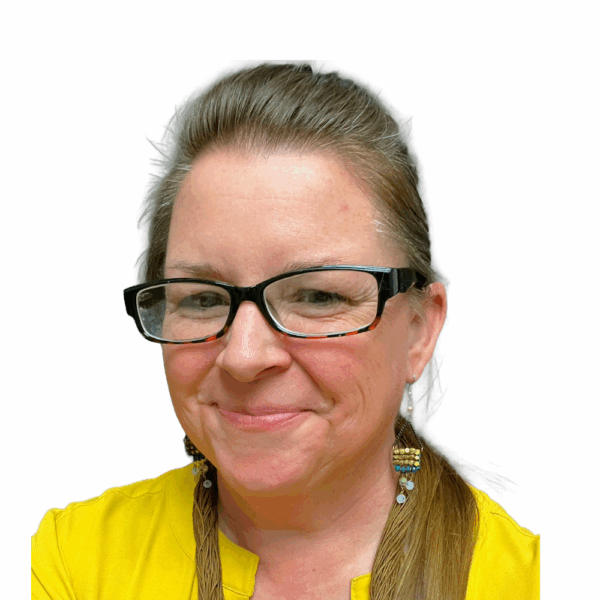
Erin More
World Languages Instructor
-

James Jackson
Mathematics Instructor
Staff Pods + 6 Column Layout
-
Brett Henry, J.D. MBA
-
-
-
-

Async Learning
Pulling off the Heading block with a FontAwesome icon is a little tricky, but very easy.
1. Click on the Heading block options, and then select “Edit as HTML”
Rigorous Courses
2. Paste an the icon code like this
<i class="fa-solid fa-books"></i>inside the tag next to heading text
<h3 class="wp-block-heading has-text-align-center"><i class="fa-solid fa-books"></i> Rigorous Courses</h3>Affordable Tuition
3. Make sure there is space in between the icon code and the heading text, then click “Edit visually” to convert the block back to normal.
FAQs
Lorem ipsum dolor sit amet, consectetur adipiscing elit. Sed sed sodales leo. Nulla rhoncus malesuada erat eget euismod. Nulla ut mi erat. Nulla ut sodales arcu, at luctus justo. Nullam non urna ut nisi ullamcorper cursus. Maecenas finibus ligula non risus interdum, id tempus massa sagittis. Vestibulum ante ipsum primis in faucibus orci luctus et ultrices posuere cubilia curae;
Maecenas nec turpis id sapien ornare interdum. Sed risus nisi, rhoncus eget odio id, scelerisque molestie metus. Nullam sit amet sem malesuada, euismod elit et, vehicula mi.
Lorem ipsum dolor sit amet, consectetur adipiscing elit. Sed sed sodales leo. Nulla rhoncus malesuada erat eget euismod. Nulla ut mi erat. Nulla ut sodales arcu, at luctus justo. Nullam non urna ut nisi ullamcorper cursus. Maecenas finibus ligula non risus interdum, id tempus massa sagittis. Vestibulum ante ipsum primis in faucibus orci luctus et ultrices posuere cubilia curae;
Lorem ipsum dolor sit amet, consectetur adipiscing elit. Sed sed sodales leo. Nulla rhoncus malesuada erat eget euismod. Nulla ut mi erat. Nulla ut sodales arcu, at luctus justo. Nullam non urna ut nisi ullamcorper cursus. Maecenas finibus ligula non risus interdum, id tempus massa sagittis. Vestibulum ante ipsum primis in faucibus orci luctus et ultrices posuere cubilia curae;
Lorem ipsum dolor sit amet, consectetur adipiscing elit. Sed sed sodales leo. Nulla rhoncus malesuada erat eget euismod. Nulla ut mi erat. Nulla ut sodales arcu, at luctus justo. Nullam non urna ut nisi ullamcorper cursus. Maecenas finibus ligula non risus interdum, id tempus massa sagittis. Vestibulum ante ipsum primis in faucibus orci luctus et ultrices posuere cubilia curae;
Columns + Space Between
Selecting Space Between pushes the columns apart, so you can give each Column specified smaller Widths, and always have the columns take up the full width.
95%
Columns + Stat Cards – Primary Light
9 / 10
The above stats ?are just normal Paragraph blocks
3,450
The Paragraph blocks have H1 style selected to make them larger
#1
They are NOT H1 Heading tags, but are styled to look like them
The logo row below is just a combination of blocks with normal settings. There are no custom styles options used.
The Image block is styled to have a slight zoom-in hover effect if it has a Link added to it, as demonstrated by the first logo image below on the left.




Here’s the “Logo Garden” Reusable Patten
Container with 2 Column + Space Between
Container block with Top and Bottom Padding, with a Columns inner block that has 2 separate Column blocks with Widths settings. The Columns block has Space Between style, to keep the 2 Column blocks separated.
That Image block over there has Sidebar Wrap: Full style, and a specified Width to match the Column block it’s in.

Container with 2 Column + Space Between
Container block with Top and Bottom Padding, with a Columns inner block that has 2 separate Column blocks with Widths settings. The Columns block has Space Between style, to keep the 2 Column blocks separated.
That Image block over there has Sidebar Wrap: Full style, and a specified Width to match the Column block it’s in.
Image block with Sidebar Wrap: Full style
Image block with Sidebar Wrap: Light Top Right style
Image block with Sidebar Wrap: Light Bottom Left style
Image block with Rounded style and Aspect Ratio set to Square- 1:1

Image block with Grayscale style
(Good for logos and graphics)

Image block with Black & White style
(Good for Solid logos and graphics)
Image block with Black & White- Transparent style
(Good for Transparent logos and graphics)

What’s next?


View the courses you could take
Curabitur sit amet lectus et odio malesuada facilisis. Fusce fringilla imperdiet eros, in iaculis urna aliquam a. Nullam sed erat nec est tincidunt lobortis.
Vestibulum nisl libero, tristique tincidunt imperdiet sit amet, hendrerit eget ligula.
Maecenas fermentum turpis nisi, ac molestie orci scelerisque feugiat. Sed gravida viverra velit vel luctus.
Visit this page
CTA Cards
Displays cards with Image, Title, Description, and Button Link
- Curabitur sit amet lectus et odio malesuada facilisis.
- Fusce fringilla imperdiet eros, in iaculis urna aliquam a.
- Nullam sed erat nec
- est tincidunt lobortis.

I am glad that I made the decision to attend Sevenstar. Now, as I’m about to head into Oklahoma Baptist University on a full-tuition scholarship to pursue my dream of becoming a software engineer, I feel so much more prepared.
Christian Alumna
We had so many questions when we started. The Sevenstar team made everything simple, and we always felt supported. By the time we enrolled, we were confident we made the right choice.
Erin M. Parent

Sevenstar was the greatest thing that happened to me because it allowed me to learn time-management skills and it taught me to study for myself.
Daniel S. Alumni
We had so many questions when we started. The Sevenstar team made everything simple, and we always felt supported. By the time we enrolled, we were confident we made the right choice.
Erin M. Parent
Content Card: Primary
Columns block + Flex Columns -Vertically Stretch
This Column is set to 300px Width
Vertically Stretch + Buttons
Selecting Flex Columns -Vertically Stretch style on the Columns block will push the Button down like this. ?
Auto Width Column
These other 2 Column blocks have no Width set on them, so they automatically stretch out horizontally.
Here’s some extras text to push this down. So you can see how the other Button got pushed down to match this one.
Content Card: Primary
Content Card: Light
Content Card: Secondary
Full Width Card: Primary
Add an Icon block as the first block, and it will be positioned atop the card. Don’t forget to add a little extra margin-top added to the card to compensate for the overlap.
Full Width Card: Secondary
Add an Icon block as the first block, and it will be positioned atop the card. Don’t forget to add a little extra margin-top added to the card to compensate for the overlap.
Icon Block
Copy and paste the HTML or SVG code from the selected Icon from Font Awesome 6.
The icon Classic Light versions are preferred.
The HTML code will look like this:<i class="fa-solid fa-address-card"></i>
Using the Adjust settings, you can nudge icon left or right, up or down
until it feels properly centered.
Buttons Block
Each individual Button block will have it’s own Style setting options to choose from.
Below are a bunch of variations of Style and Color options.
Here below is a Paragraph block, where the whole thing is wrapped as with a link. It’s had “fa-solid fa-arrow-right” added to the block Additional CSS class(es), which will make it mimic the Button block’s Arrow Link style option.
Testing Arrow Link + Text Color
Typography
Below are examples of various text content with some of their respective Style, Color, Size options demonstrated.
Heading Level One
Heading Level Two
Heading Level Three
Heading Level Four
Heading Level Five
Heading Level Six
Heading Level One + Sidebar
Heading Level Two + Sidebar
Heading Level Three + Sidebar
Heading Level Four + Sidebar
Heading Level Five + Sidebar
Heading Level Six + Sidebar
Import font-size information to understand
⚠️ Using SIZE or H1-H6 Style setting options ?
Note that you can and SHOULD use the H1-H6 on the block Style options on any Paragraph or Heading to change the visual size, while maintaining proper semantic structure.
Use the correct typography block for the structure of the content, and then if you would like the text to appear larger of smaller than it is naturally, then use the Style or SIZE options to make visually appear how you would prefer.
Here are some examples of content with their visual Style changed
Paragraph block + H1
Paragraph block + H2
Paragraph block + H3
Paragraph block + H4
Paragraph block + H5
Paragraph block + H6
Heading Level One + H6
Heading Level Two + H5
Heading Level Three + H4
Heading Level Four + H3
Heading Level Five + H2
Heading Level Six + H1
Yar Pirate Ipsum
Prow scuttle parrel provost Sail ho shrouds spirits boom mizzenmast yardarm. Pinnace holystone mizzenmast quarter crow’s nest nipperkin grog yardarm hempen halter furl. Swab barque interloper chantey doubloon starboard grog black jack gangway rutters.
Deadlights jack lad schooner scallywag dance the hempen jig carouser broadside cable strike colors. Bring a spring upon her cable holystone blow the man down spanker Shiver me timbers to go on account lookout wherry doubloon chase. Belay yo-ho-ho keelhaul squiffy black spot yardarm spyglass sheet transom heave to.
Trysail Sail ho Corsair red ensign hulk smartly boom jib rum gangway. Case shot Shiver me timbers gangplank crack Jennys tea cup ballast Blimey lee snow crow’s nest rutters. Fluke jib scourge of the seven seas boatswain schooner gaff booty Jack Tar transom spirits.
- Style: Default
- Two
- Three
- Trysail Sail ho Corsair red ensign hulk smartly boom jib rum gangway.
- Trysail Sail ho Corsair
- Trysail Sail ho Corsair red ensign hulk smartly boom jib rum gangway red ensign hulk smartly boom jib rum gangway.
- Style: Default
- Two
- Three
- Trysail Sail ho Corsair red ensign hulk smartly boom jib rum gangway.
- Trysail Sail ho Corsair
- Trysail Sail ho Corsair red ensign hulk smartly boom jib rum gangway red ensign hulk smartly boom jib rum gangway.
- Style: Primary
- Two
- Three
- Trysail Sail ho Corsair red ensign hulk smartly boom jib rum gangway.
- Trysail Sail ho Corsair
- Trysail Sail ho Corsair red ensign hulk smartly boom jib rum gangway red ensign hulk smartly boom jib rum gangway.
- Style: Secondary
- Two
- Three
- Trysail Sail ho Corsair red ensign hulk smartly boom jib rum gangway.
- Trysail Sail ho Corsair
- Trysail Sail ho Corsair red ensign hulk smartly boom jib rum gangway red ensign hulk smartly boom jib rum gangway.
Example Paragraphs with SIZE options
SIZE S – Trysail Sail ho Corsair red ensign hulk smartly boom jib rum gangway. Case shot Shiver me timbers gangplank crack Jennys tea cup ballast Blimey lee snow crow’s nest rutters. Fluke jib scourge of the seven seas boatswain schooner gaff booty Jack Tar transom spirits.
SIZE M – Trysail Sail ho Corsair red ensign hulk smartly boom jib rum gangway. Case shot Shiver me timbers gangplank crack Jennys tea cup ballast Blimey lee snow crow’s nest rutters. Fluke jib scourge of the seven seas boatswain schooner gaff booty Jack Tar transom spirits.
SIZE L – Deadlights jack lad schooner scallywag dance the hempen jig carouser broadside cable strike colors. Bring a spring upon her cable holystone blow the man down spanker Shiver me timbers to go on account lookout wherry doubloon chase. Belay yo-ho-ho keelhaul squiffy black spot yardarm spyglass sheet transom heave to.
SIZE XL – Prow scuttle parrel provost Sail ho shrouds spirits boom mizzenmast yardarm. Pinnace holystone mizzenmast quarter crow’s nest nipperkin grog yardarm hempen halter furl. Swab barque interloper chantey doubloon starboard grog black jack gangway rutters.
Example Paragraph blocks with Quote style option
Again, just for size reference, this is a default paragraph without any additional style settings. Prow scuttle parrel provost Sail ho shrouds spirits boom mizzenmast yardarm. Pinnace holystone mizzenmast quarter crow’s nest nipperkin grog yardarm hempen halter furl. Swab barque interloper chantey doubloon starboard grog black jack gangway rutters
Quote style – Default – Bumps the font-size up a little, then softens the text color a little. Trysail Sail ho Corsair red ensign hulk smartly boom jib rum gangway. Case shot Shiver me timbers gangplank crack Jennys tea cup ballast Blimey lee snow crow’s nest rutters. Fluke jib scourge of the seven seas boatswain schooner gaff booty Jack Tar transom spirits.
Quote style + SIZE L + Primary Text Color– Deadlights jack lad schooner scallywag dance the hempen jig carouser broadside cable strike colors. Bring a spring upon her cable holystone blow the man down spanker Shiver me timbers to go on account lookout wherry doubloon chase. Belay yo-ho-ho keelhaul squiffy black spot yardarm spyglass sheet transom heave to.
Quote style + Light Background Color + Dark Text Color – Prow scuttle parrel provost Sail ho shrouds spirits boom mizzenmast yardarm. Pinnace holystone mizzenmast quarter crow’s nest nipperkin grog yardarm hempen halter furl. Swab barque interloper chantey doubloon starboard grog black jack gangway rutters.
Table block + Primary Gradient style option
The following example has optional Header, Footer, and Caption added, just for demonstration purposes. Though they are not required, it is highly–highly recommended that you always include a Header on every Table.
| One | Two | Three | Four |
|---|---|---|---|
| Table Data | |||
| One | Two | Three | Four |